
Artificial intelligence (AI) is everywhere on social media, but one of its most popular emergences is through generative AI. Artistic filters that use the tech have become trends on TikTok, and these days, they’re even taking inspo from the styles of classic films.
Take the Studio Ghibli AI filter, a new trend that turns users into characters straight from the studio’s animated films. Ahead, see how you can make one for yourselves–and why some people are against using it, too.
What Is the Studio Ghibli AI Filter?
The Studio Ghibli AI filter takes inspiration from the animated films produced by the famed Japanese studio founded by directors Hayao Miyazaki, Isao Takahata, and producer Toshio Suzuki. The filter mimics the hand-drawn art style through artificial intelligence, which is signature to the animation studio’s oeuvre like Howl’s Moving Castle, Spirited Away, Ponyo, and Princess Mononoke.
While several AI iterations have popped up every so often, one of the latest versions to come up on TikTok uses a CapCut template. The trend features before-and-after photo slideshows with a side-by-side of the original photo and the AI-generated art, often to the tune of "L’amore Dice Ciao" by Armando Trovajoli.
As of writing, the trend has spread throughout the short-form video app, with some clips garnering around 5.7 million views and 4 million views.
How to Use the Studio Ghibli AI Filter
1. Install and open CapCut
The AI filter is available to use on the editing app CapCut, which can be downloaded on the Apple App Store and Google Play.
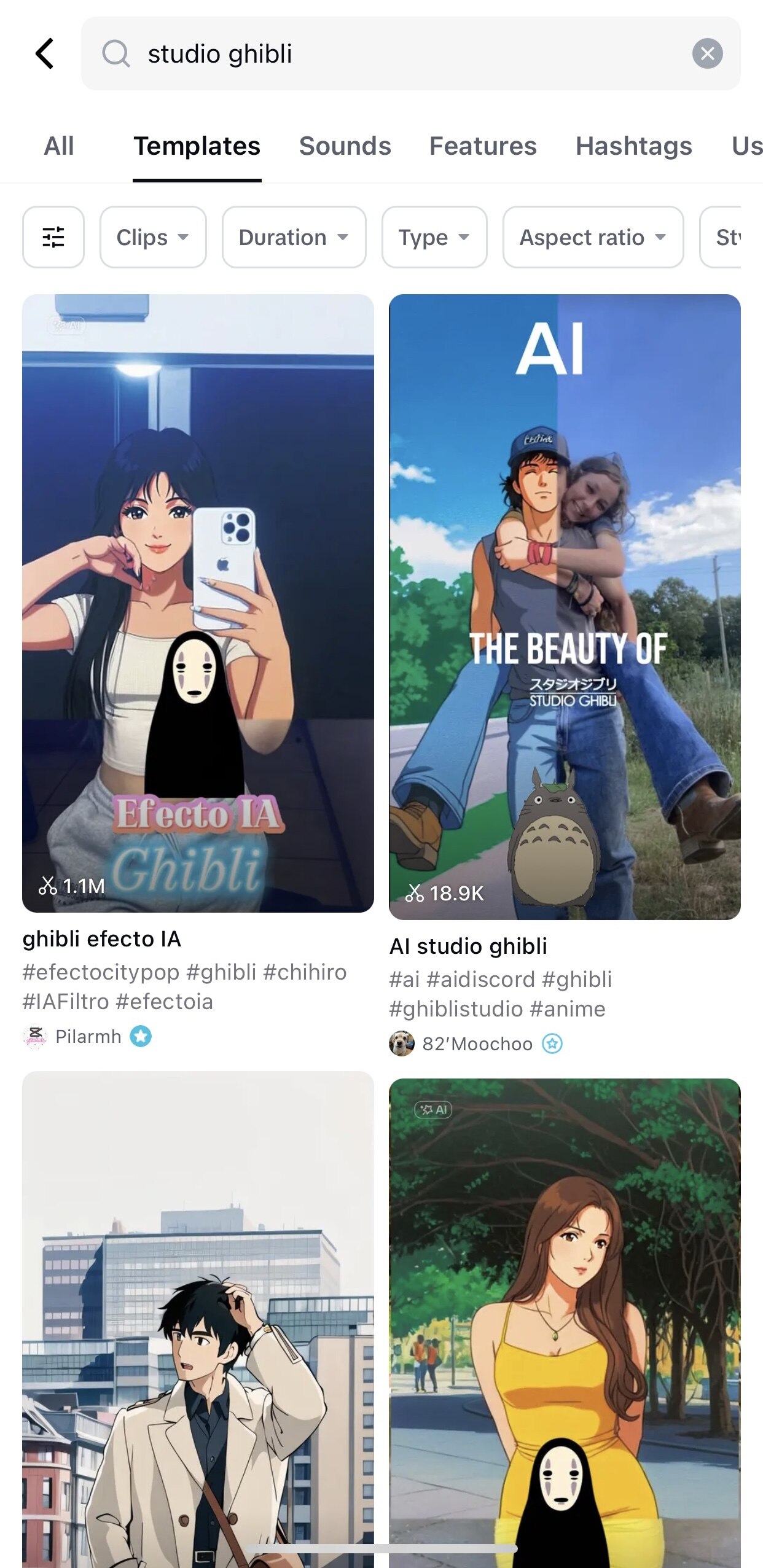
2. Tap “Templates” and search for “Studio Ghibli AI filter”
There are many versions available of the filter, including from users ramirezvcaro, viribunny, and Pilarmh. Alternatively, you can also search for “Studio Ghibli AI filter” on TikTok, tap a video that uses the filter, and tap the “Capcut - Try this template” button to be redirected straight to the editing app.
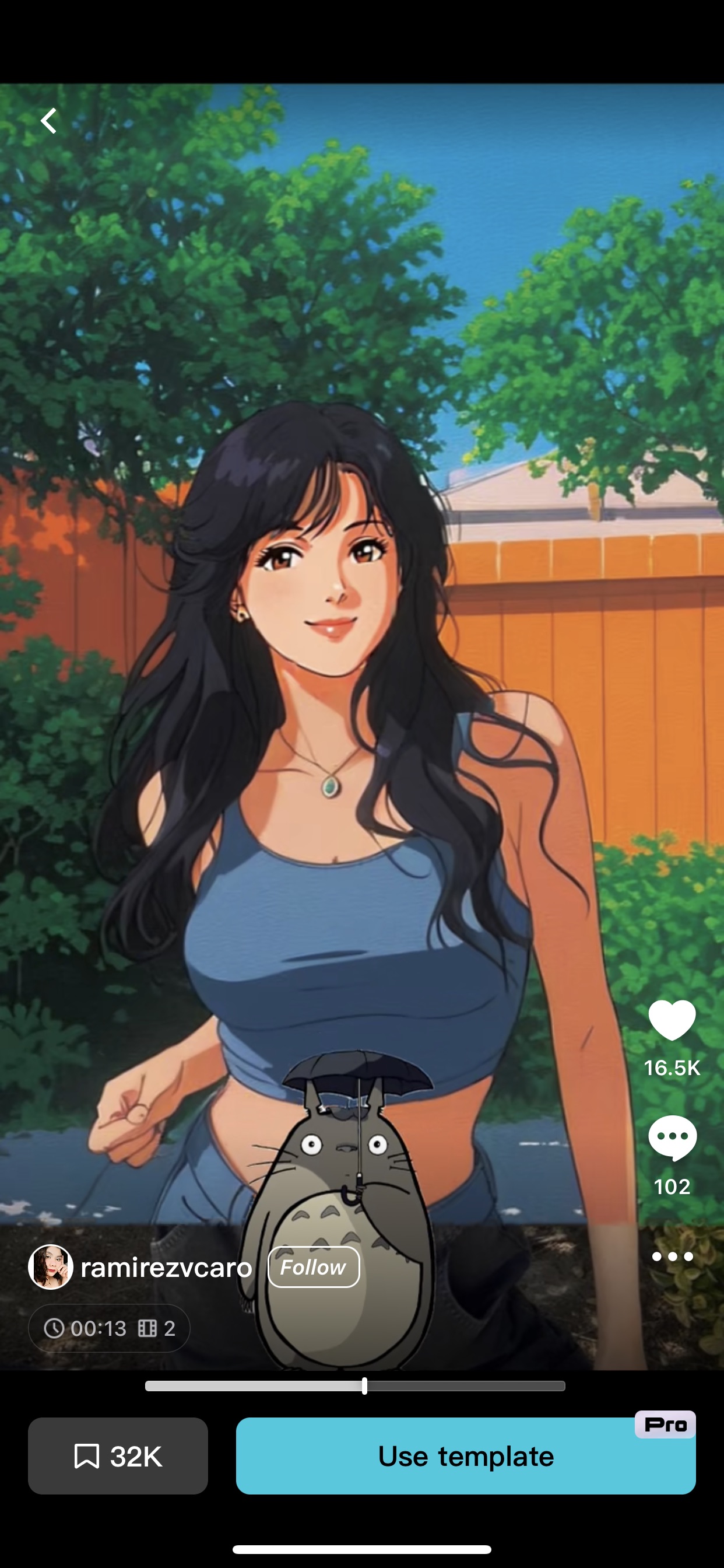
3. Tap “Use Template”
A CapCut Pro account is needed to fully use the service. Otherwise, you’ll get one chance to try the filter out for free.
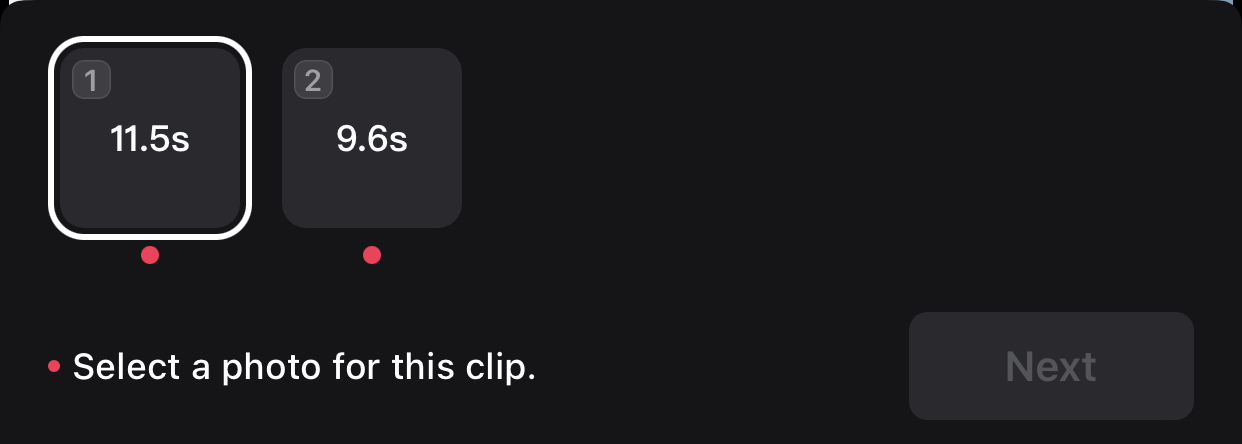
4. Select one photo
Choose a photo for the clip. The timeline on the editor will show duplicates of the selected picture, but one will be generated into an AI edit after you press “next.”
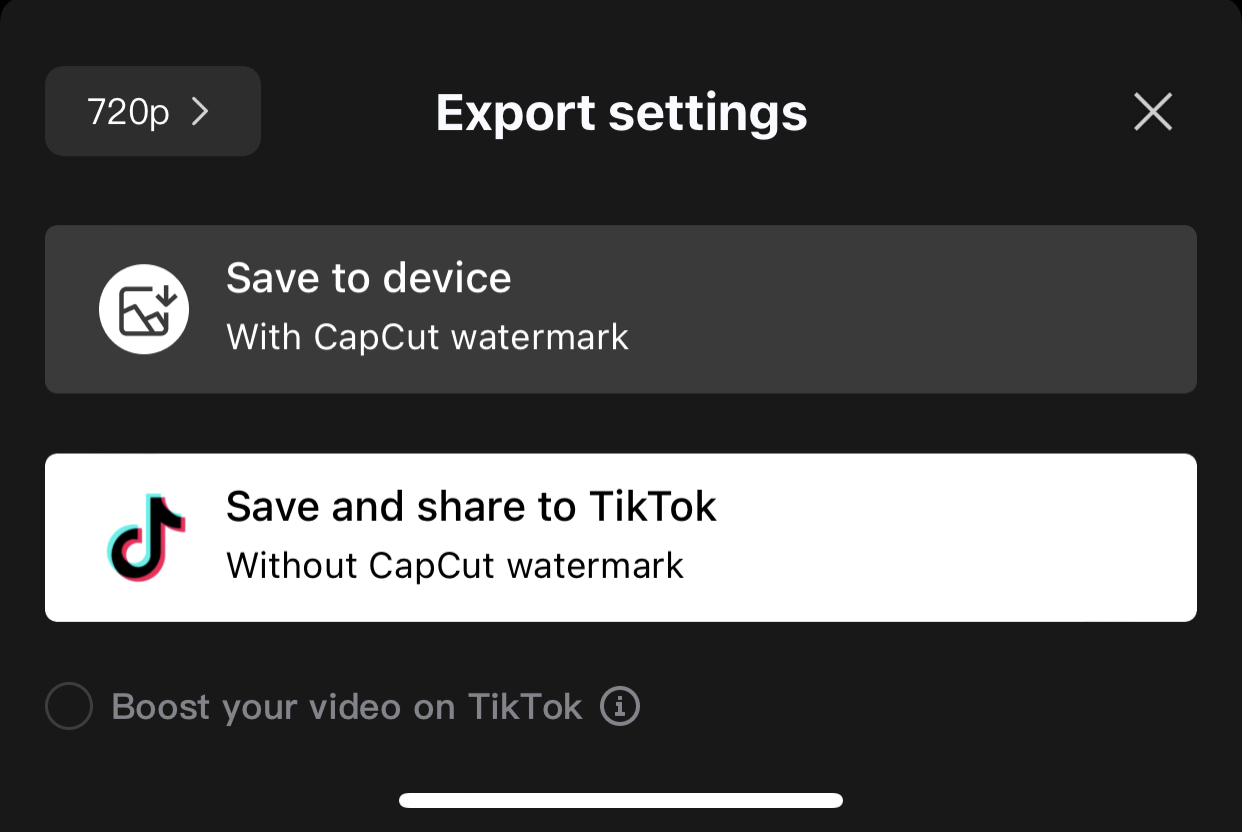
5. Wait for the AI to generate and tap “Export”
Once the video is ready, you can choose to save the clip to your device with a watermark or save and directly share it on TikTok without one.

What Is the Controversy Behind the Studio Ghibli AI Filter?
Several users online have also expressed their disapproval of the filter and Studio Ghibli-inspired content created using artificial intelligence in general, due to founder Hayao Miyazaki’s previously aired views on AI.
In a documentary that aired a few years ago, the Ghibli filmmaker and producer Toshio Suzuki were presented by an AI machine, which was used to animate images similar to those of horror games.
“It looks like it’s dancing,” the presenter said. “It’s moving by using its head. It doesn’t feel any pain and has no concept of protecting its head. It uses its head like a leg. This movement is so creepy and could be applied to a zombie video game. Artificial intelligence could present us grotesque movements that we humans can’t imagine.”
However, Hayao seemed unimpressed and pointed out the animation’s lack of human feeling. “Every morning, not in recent days, I see my friend who has a disability. It’s so hard for him just to do a high five. His arm with stiff muscles can’t reach out to my hand. Now, thinking of him, I can’t watch this stuff and find it interesting. Whoever creates this stuff has no idea what pain is.”
“I am utterly disgusted,” the animator said. “If you really want to make creepy stuff, you can go ahead and do it, but I would never wish to incorporate this technology into my work at all. I strongly feel that this is an insult to life itself (...) I feel like we are nearing the end of times. We humans are losing faith in ourselves.”
Hey, Preview readers! Follow us on Facebook, Instagram, YouTube, Tiktok, and Twitter to stay up to speed on all things trendy and creative. We’ll curate the most stylish feed for you!
