
ChatGPT has quickly become a go-to source of entertainment and creativity for people everywhere. Whether it's roasting Instagram feeds or generating quirky text conversations, users are finding increasingly inventive ways to use AI in their daily lives. And guess what? People have also found a way to use ChatGPT to determine their seasonal color palette—a fun, cost-effective alternative if you don’t have the time or funds just yet to go and get a professional color consultation.
If you're curious about how to make this AI work for your wardrobe, read on to discover how you can get your color analysis done with just a few simple steps.
What Is Color Analysis?
Color analysis is a method used to determine which colors best complement an individual’s natural features, including their skin tone, hair color, and eye color. Typically, these analyses categorize people into one of four seasonal palettes: winter, spring, summer, or autumn. Some systems take it a step further, adding nuances such as "soft summer" or "bright winter" based on how clear or muted the colors should be. By understanding your color season, you can make more informed choices about your wardrobe, makeup, and accessories, ensuring that your appearance is always flattering.
How to Get Your Color Analysis Done Through ChatGPT
Using ChatGPT for your color analysis is actually a pretty straightforward process that simply requires your phone’s camera, Photoshop or Canva, and of course, ChatGPT. Here’s how:
1. Take a Selfie in Natural Light
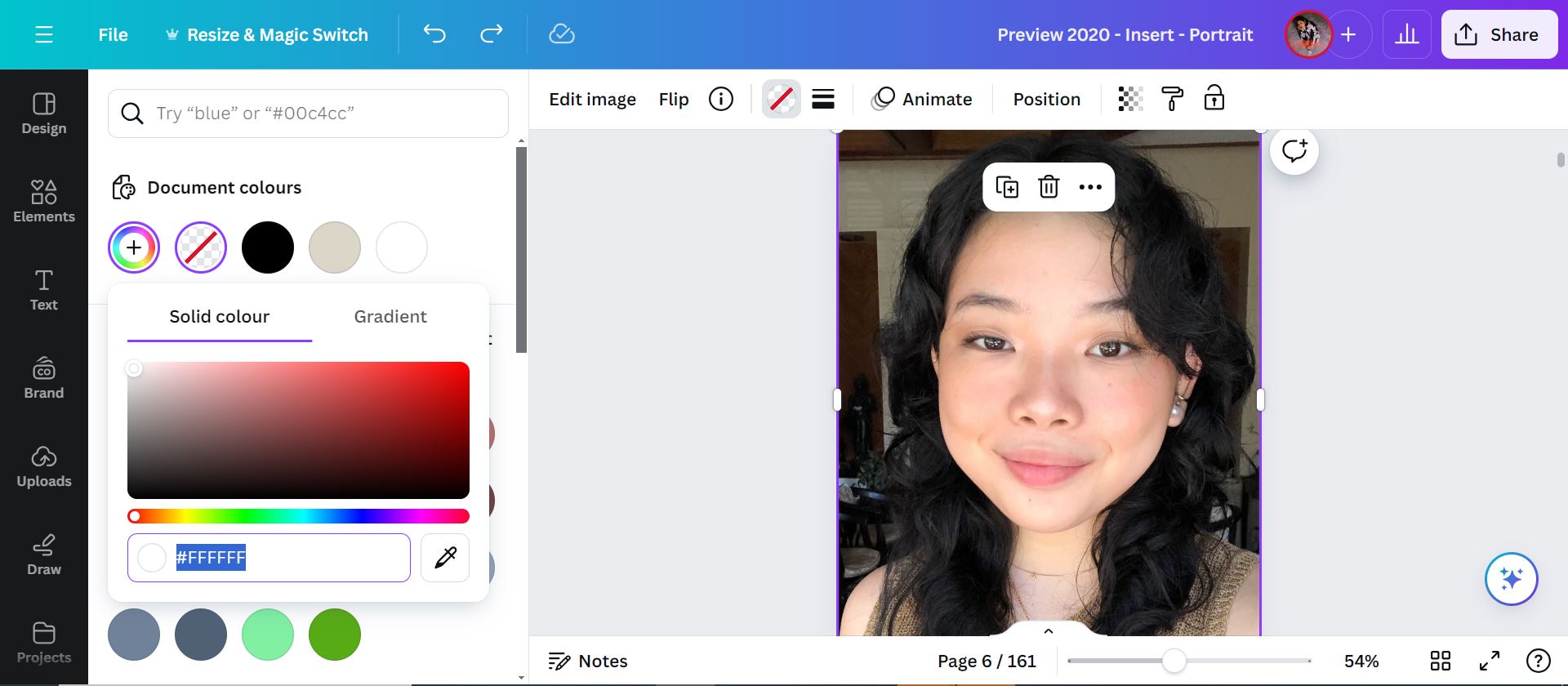
Start by taking a selfie in natural daylight. Take a picture outdoors or in front of a well-lit window, like I did. Ensure that your face is free of makeup, and avoid wearing any bright or distracting colors that might skew the analysis (I chose to wear a neutral top). Natural light is crucial as it provides the most accurate representation of your skin tone, hair color, and eye color.

2. Get the Hex Codes for Your Skin, Hair, and Eyes
Next, you’ll need to find the exact hex color codes for your skin, hair, and eyes. You can use tools like Photoshop, Canva, or even your phone’s built-in markup feature. Simply upload your selfie, use the color picker tool to select the areas of your skin, hair, and eyes, and note down the hex codes. Mine are: FED3C2 for skin, 202221 for hair, and 48302C for eyes.
3. Enter the Hex Codes Into ChatGPT
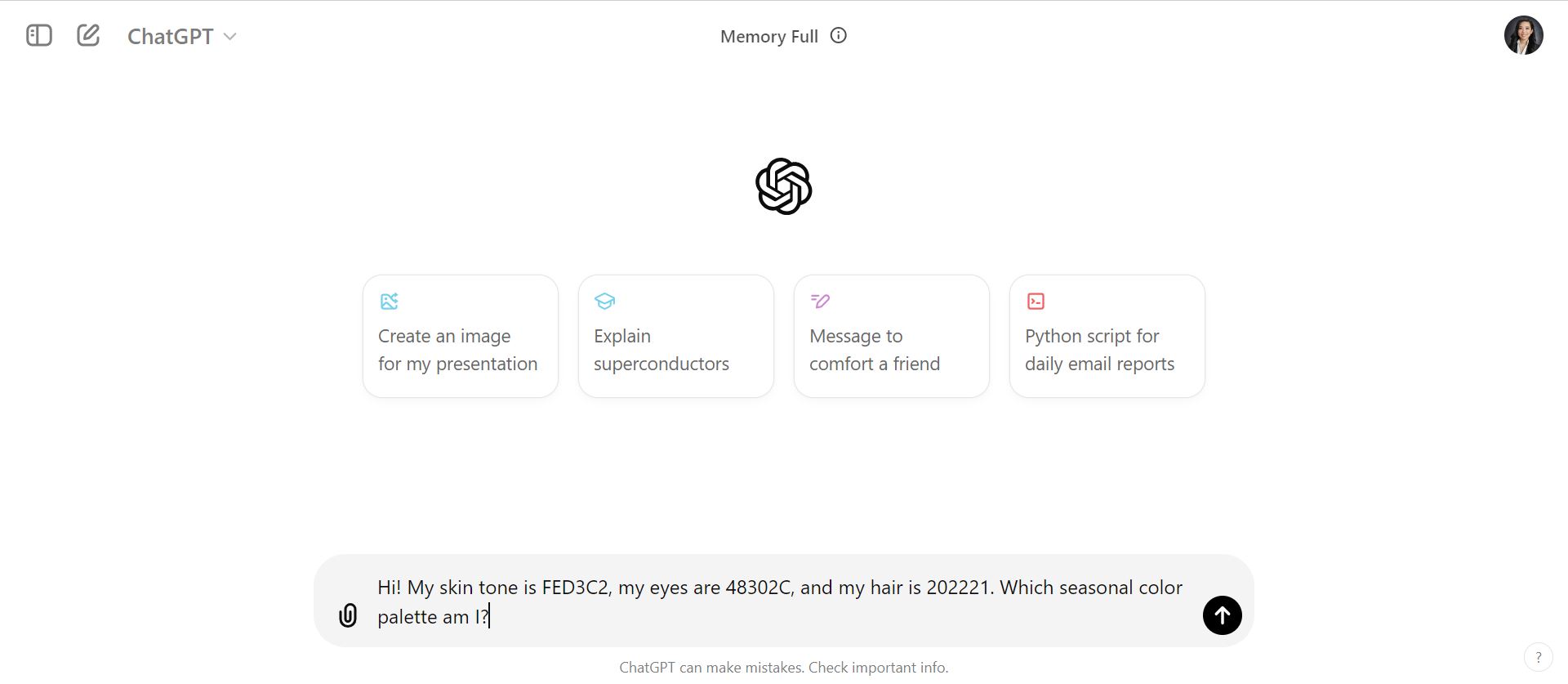
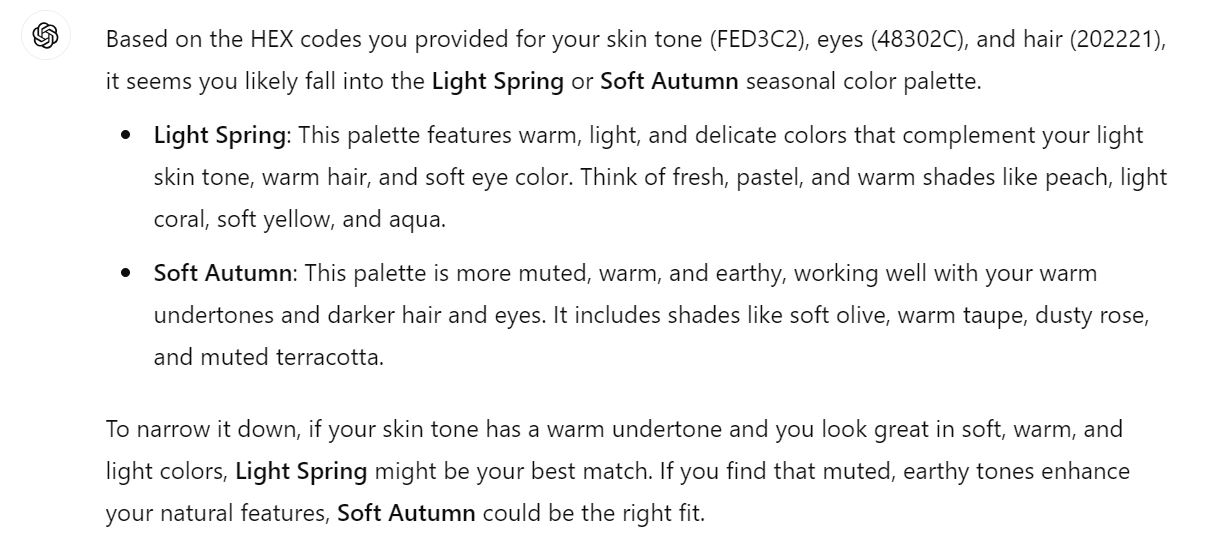
Now, head over to ChatGPT. Begin by typing in a prompt like: "Hi! My skin tone is FED3C2, my eyes are 48302C, and my hair is 202221. Which seasonal color palette am I?" ChatGPT will analyze the data and suggest a season, such as "True Autumn" or "Bright Spring."
4. Refine Your Results
If ChatGPT’s initial analysis seems a bit broad or unclear, you can refine it by asking more specific questions. For example, ask ChatGPT which greens or blues would suit you best, or whether gold or silver jewelry is more flattering. This step helps tailor the color recommendations to your specific features and preferences.
5. Compare and Contrast
Once ChatGPT provides you with a seasonal palette, compare it with traditional color analysis results if you've had one before. While ChatGPT can offer valuable insights, it may not capture every nuance of color theory, so it’s important to trust your instincts and experience as well.
Of course, while using ChatGPT for color analysis might not completely replace professional consultation, it’s a fun and budget-friendly way to explore which colors make you shine.
Hey, Preview readers! Follow us on Facebook, Instagram, YouTube, Tiktok, and Twitter to stay up to speed on all things trendy and creative. We’ll curate the most stylish feed for you!
